Architecting Real-Time Trading UIs: WebSockets, Optimistic Updates, and Latency
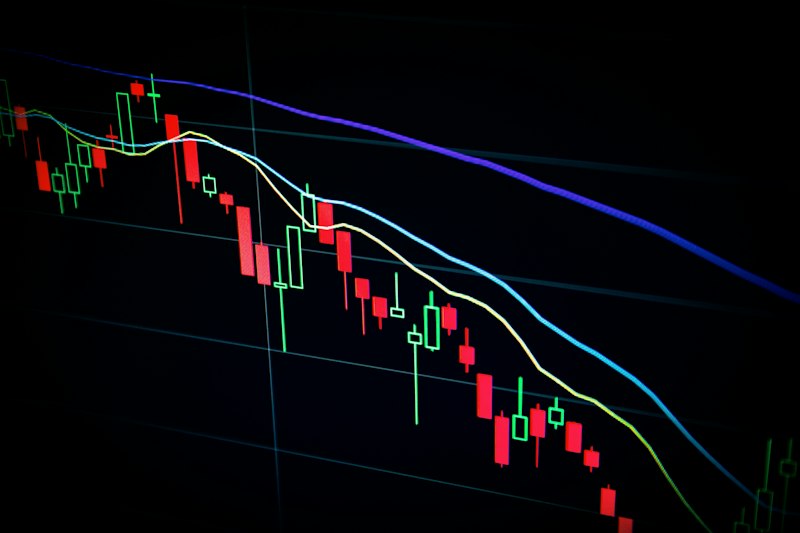
When milliseconds matter, every rendering decision counts. We break down the architecture patterns we use to build sub-30ms trading interfaces with WebSocket data feeds.
The Performance Requirements of Trading UIs
Consumer apps tolerate 100–200ms interactions without users noticing. Trading interfaces don't. When a trader is watching a price move and trying to execute, a 300ms lag between market data and UI update is the difference between a fill at the quoted price and slippage.
The constraints for a production trading UI:
- Market data latency: Under 50ms from exchange feed to rendered price
- Order execution latency: Under 100ms from button click to exchange acknowledgement
- UI rendering: 60fps for smooth chart updates, no janky repaints
- Reconnection handling: Seamless reconnect with state reconciliation when WebSocket drops
These requirements eliminate a lot of architectural choices that work fine for normal web apps.
WebSocket Architecture
Don't Use the Native WebSocket API Directly
The browser's native WebSocket API doesn't handle reconnection, heartbeats, or message queuing. Use a library that does:
import ReconnectingWebSocket from "reconnecting-websocket";

const ws = new ReconnectingWebSocket("wss://feed.exchange.com/v1/stream", [], {
  maxReconnectionDelay: 5000,
  minReconnectionDelay: 500,
  reconnectionDelayGrowFactor: 1.5,
  maxRetries: Infinity,
});
Message Processing on a Worker Thread
Parsing high-frequency market data on the main thread will cause dropped frames. Move message deserialization to a Web Worker:
// marketDataWorker.ts
self.onmessage = (event) => {
  const { type, data } = event;
  if (type === "ws_message") {
    const parsed = JSON.parse(data);
    // Apply any normalization, calculations
    self.postMessage({ type: "market_data", payload: parsed });
  }
};

// In your component
const worker = new Worker(new URL("./marketDataWorker.ts", import.meta.url));
worker.onmessage = (event) => {
  if (event.data.type === "market_data") {
    updatePriceMap(event.data.payload);
  }
};
Throttle State Updates
You'll receive hundreds of price ticks per second. Don't trigger a React re-render on every one. Accumulate updates and flush at 60fps:
const pendingUpdates = useRef<Map<string, number>>(new Map());

useEffect(() => {
  const interval = setInterval(() => {
    if (pendingUpdates.current.size > 0) {
      setPrices((prev) => ({
        ...prev,
        ...Object.fromEntries(pendingUpdates.current),
      }));
      pendingUpdates.current.clear();
    }
  }, 1000 / 60); // 60fps

  return () => clearInterval(interval);
}, []);
Optimistic Updates for Order Execution
When a trader clicks "Buy", they expect instant feedback. Don't wait for exchange confirmation before updating the UI:
async function submitOrder(order: Order) {
  const optimisticFill: Fill = {
    id: crypto.randomUUID(),
    ...order,
    status: "pending",
    timestamp: Date.now(),
  };

  // Immediately show as pending in the UI
  dispatch({ type: "ADD_OPTIMISTIC_FILL", payload: optimisticFill });

  try {
    const confirmed = await exchangeApi.submitOrder(order);
    dispatch({
      type: "CONFIRM_FILL",
      payload: { optimisticId: optimisticFill.id, confirmed },
    });
  } catch (error) {
    // Rollback
    dispatch({ type: "REMOVE_OPTIMISTIC_FILL", payload: optimisticFill.id });
    showErrorToast("Order rejected: " + error.message);
  }
}
The key is the rollback path. Always handle rejection cleanly. A pending fill that never resolves is worse than no feedback at all.
Chart Rendering: Canvas Over SVG
For high-frequency candle charts or tick charts, SVG rendering falls apart above ~500 data points due to DOM node count. Use a canvas-based charting library:
- TradingView Lightweight Charts, the gold standard for financial charts, open-source
- uPlot, extremely fast, lower-level, good for custom implementations
- Recharts (SVG), fine for analytics dashboards, not for real-time trading feeds
import { createChart, ColorType } from "lightweight-charts";

const chart = createChart(containerRef.current, {
  layout: {
    background: { type: ColorType.Solid, color: "#0a0a0a" },
    textColor: "#d4d4d8",
  },
  grid: {
    vertLines: { color: "#1a1a1a" },
    horzLines: { color: "#1a1a1a" },
  },
  width: containerRef.current.clientWidth,
  height: 400,
});

const candleSeries = chart.addCandlestickSeries();

// Update with new data as it streams in
candleSeries.update({ time: timestamp, open, high, low, close });
Connection State Management
Trading UIs need clear, persistent connection status. Users must always know if their data feed is live:
type ConnectionState = "connecting" | "connected" | "reconnecting" | "disconnected";

function useMarketDataConnection(): ConnectionState {
  const [state, setState] = useState<ConnectionState>("connecting");

  useEffect(() => {
    const ws = getMarketDataWebSocket();

    ws.addEventListener("open", () => setState("connected"));
    ws.addEventListener("close", () => setState("reconnecting"));
    ws.addEventListener("error", () => setState("disconnected"));

    return () => ws.close();
  }, []);

  return state;
}
Show a persistent banner or status indicator when not in 'connected' state. A trader who doesn't know their data is stale is a trader who will blame the platform.
Load Testing Your WebSocket Layer
Before production, test your WebSocket infrastructure under realistic load. Use k6 or a custom script to simulate hundreds of concurrent connections with realistic message rates. The failure modes (message queue backpressure, memory leaks on reconnection, missed heartbeats) only appear under load.
We've shipped trading interfaces for TradeLocker and other fintech clients. If you're building a trading platform and need to move from prototype to production-grade architecture, let's talk.
Related Articles
Choosing the Right Tech Stack for Your Startup in 2026
Speed of development, production scalability, and zero DevOps overhead. We break down how to choose a front-end and back-end stack that lets small teams ship fast without painting themselves into a corner.
Why We Use TypeScript Strict Mode on Every Project
Strict mode catches bugs before they reach production. We walk through the flags we enable, why each one matters, and how to migrate an existing codebase without losing a week.